
Resize an Image for Instagram, WhatsApp or ID Photos
To resize an image, open Resize images, add your photo, pick a ready-made size (Instagram post, story, YouTube thumbnail, ID photo…) or type the width and height in pixels, and click Resize images. You can resize up to 30 photos at once, in your browser, without uploading them.
How to resize an image, step by step
- Add your photos. JPG, PNG, WebP, AVIF, HEIC and GIF are accepted.
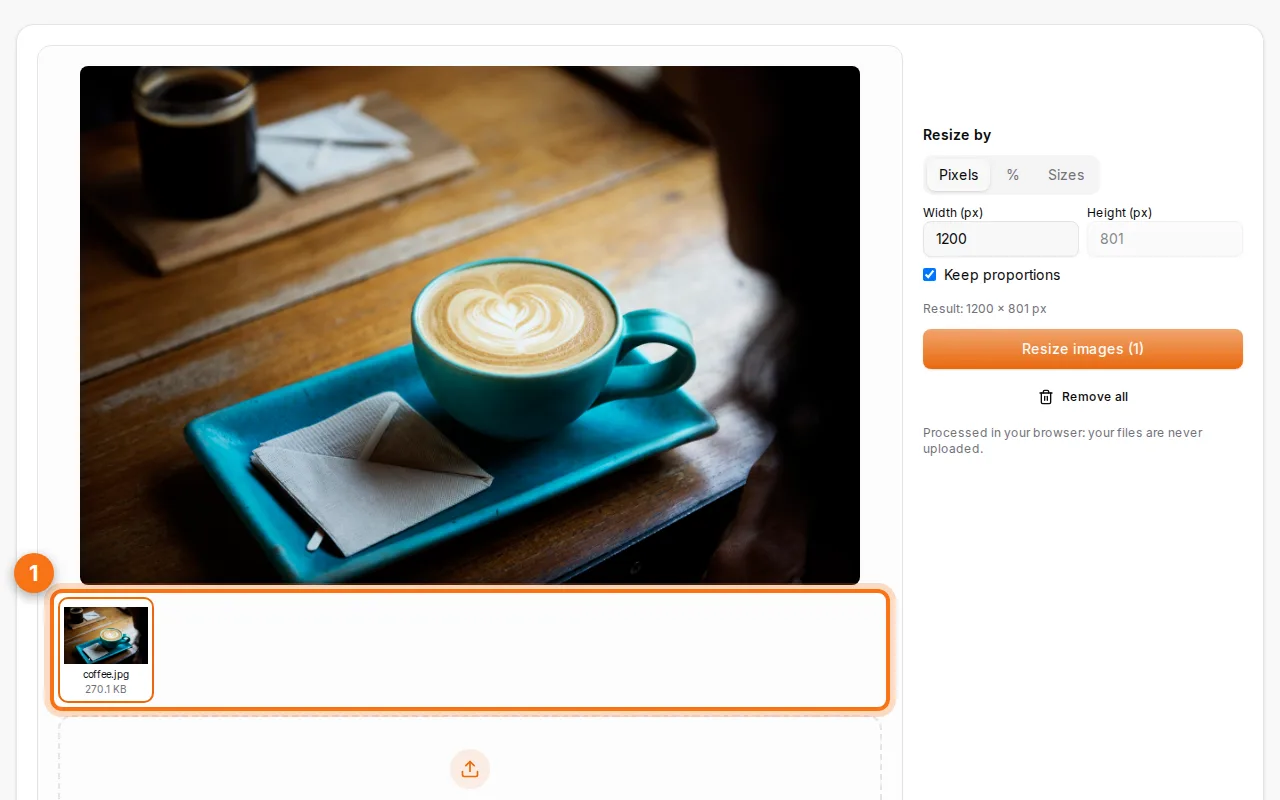
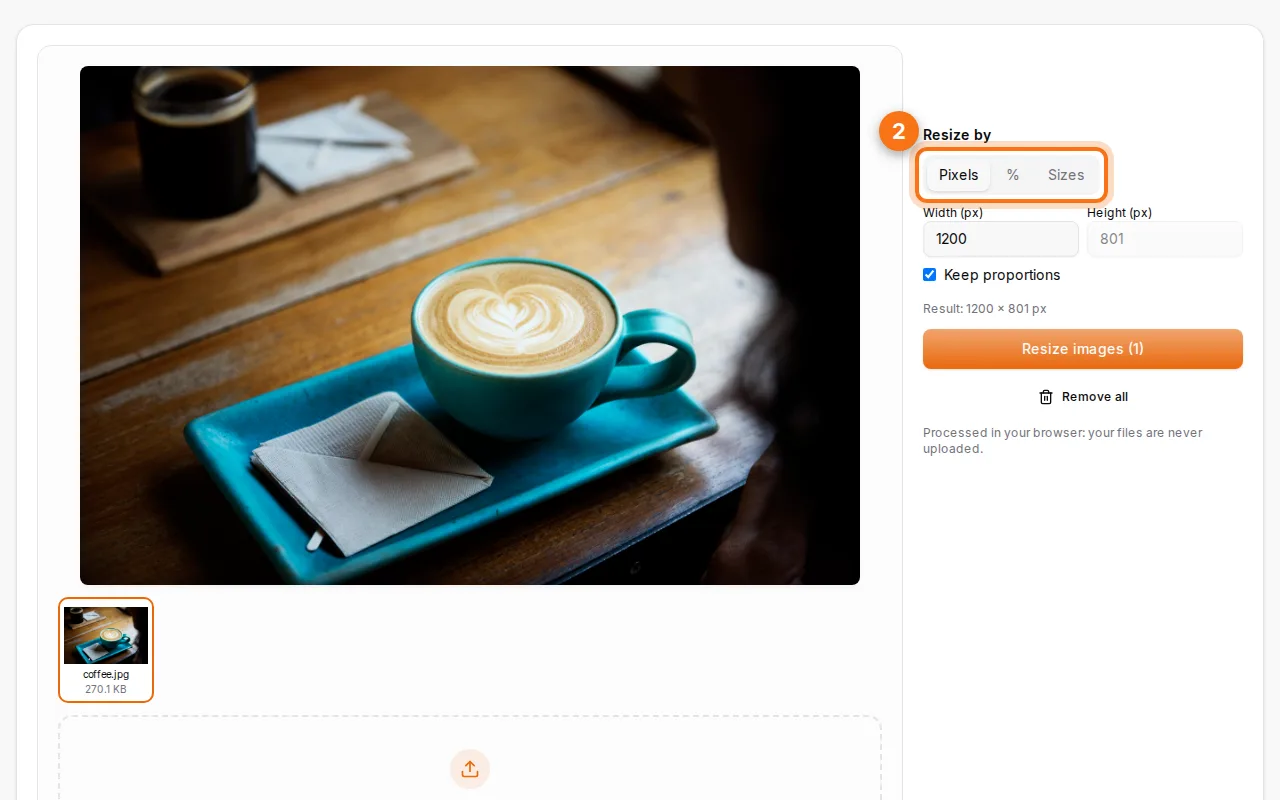
- Choose the size. Pick a preset, or resize by pixels (with "Keep proportions" to avoid stretching) or by a percentage.
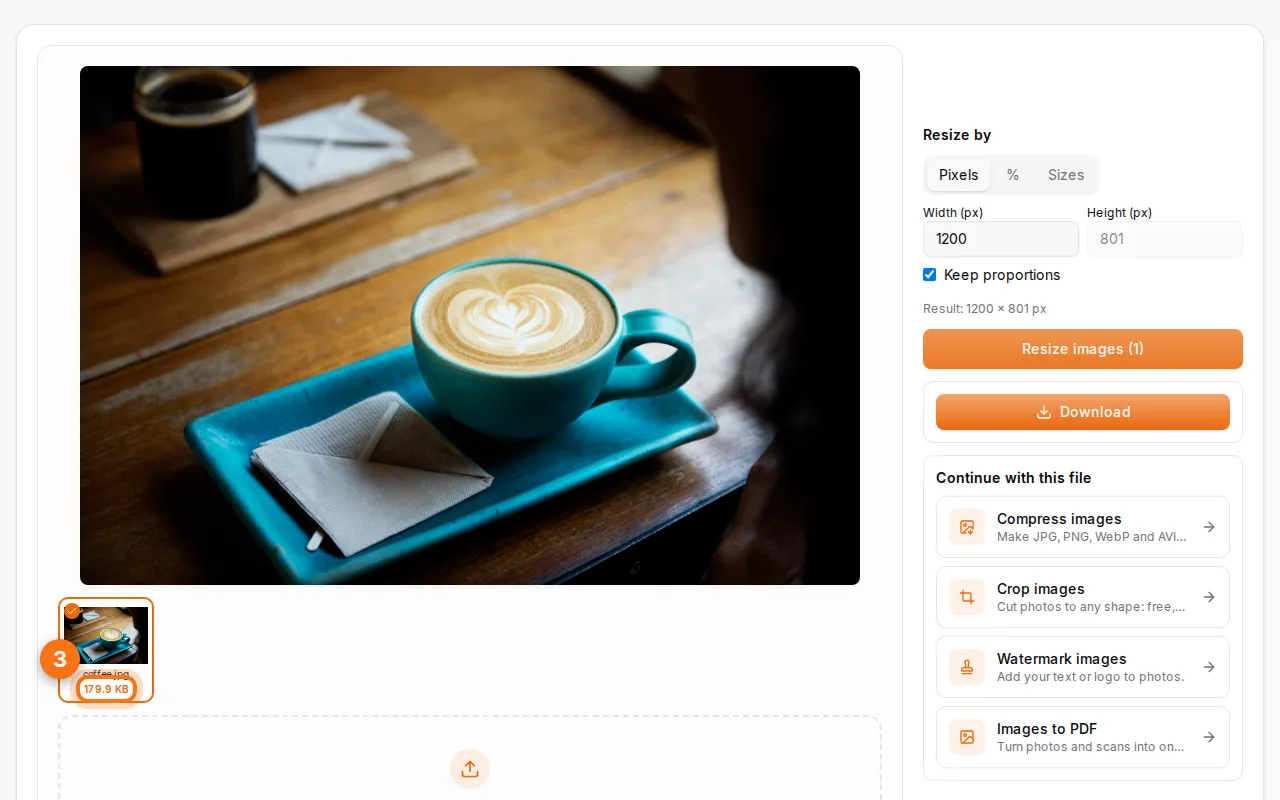
- Resize and download. The new size is shown under each image. Download them one by one or in a ZIP.
The right size for each use
| Use | Size (pixels) | Shape |
|---|---|---|
| Instagram post | 1080 × 1080 | Square |
| Instagram portrait | 1080 × 1350 | 4:5 |
| Story (Instagram, WhatsApp) | 1080 × 1920 | 9:16 |
| YouTube thumbnail | 1280 × 720 | 16:9 |
| Facebook cover | 820 × 312 on screen (upload larger) | Wide |
| LinkedIn banner | 1584 × 396 | Wide |
| Profile photo | 400 × 400 or more | Square |
| Full HD (slides, screens) | 1920 × 1080 | 16:9 |
| ID / passport photo | 35 × 45 mm | Portrait |
The presets fill these in for you.
Resize without distortion
When the target shape is different from your photo (a landscape photo into a square post), the picture has to be either cropped or padded. Keep proportions on to avoid stretching faces. If you want to choose exactly what stays in the frame, crop first with Crop images, then resize.
ID and passport photos
Most ID photos in Algeria, France and Morocco use 35 × 45 mm. Take the photo against a plain light wall, remove the background if needed with Remove background, then use the "ID / passport photo" preset. Print it on photo paper at 100% (no "fit to page").
Make files smaller, too
Resizing a phone photo from 4,000 to 1,600 pixels wide usually cuts the file by 70–80% before any compression. To go further, run it through Compress images. To change the format (HEIC to JPG, PNG to WebP), use Convert images.
FAQ
Does resizing reduce quality?
Making a photo smaller keeps it sharp. Making it much bigger than the original can't add detail: it will look soft.
Can I resize many photos at once?
Yes, up to 30 per batch, all to the same size or percentage.
Are my photos uploaded?
No, resizing happens in your browser. (iPhone HEIC photos are decoded by our server in memory when your browser can't read them.)
What's the best size for a website?
Around 1,600–2,000 pixels wide for full-width photos, and the displayed width for smaller ones. Save as WebP for the smallest files.