How to Remove the Background From an Image for Free
To remove the background from an image for free, open Remove background, add your photo and wait a second or two: the subject is cut out automatically. Download it as a transparent PNG, or put a colour or another picture behind it. The fast mode runs entirely in your browser; a high-quality mode gives finer edges on hair and fur.
Here's how it works, and how to get clean cut-outs for products, profile pictures and documents.
How to remove a background, step by step
- Add your photo. People, animals, products, cars and logos all work. You can add several photos at once.
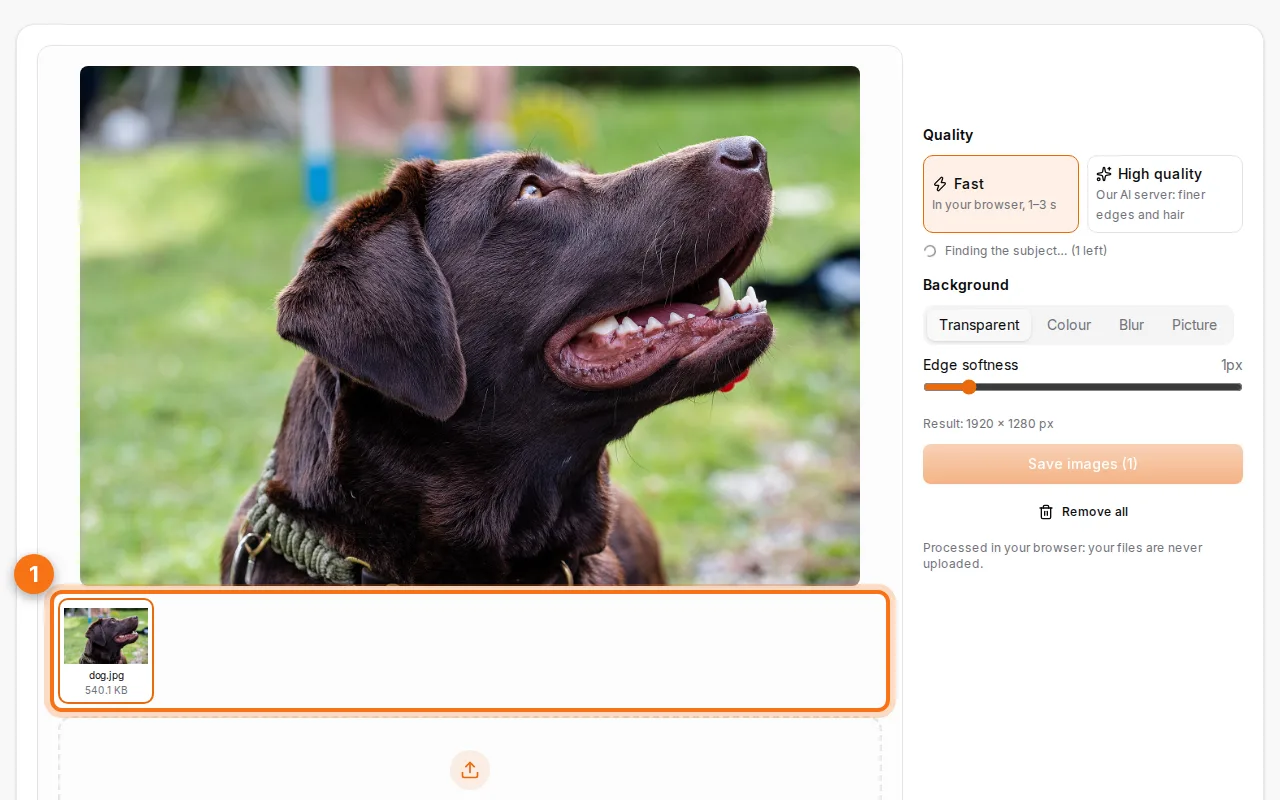
- Let the AI find the subject. The background disappears in a moment. The checkerboard shows the transparent parts.
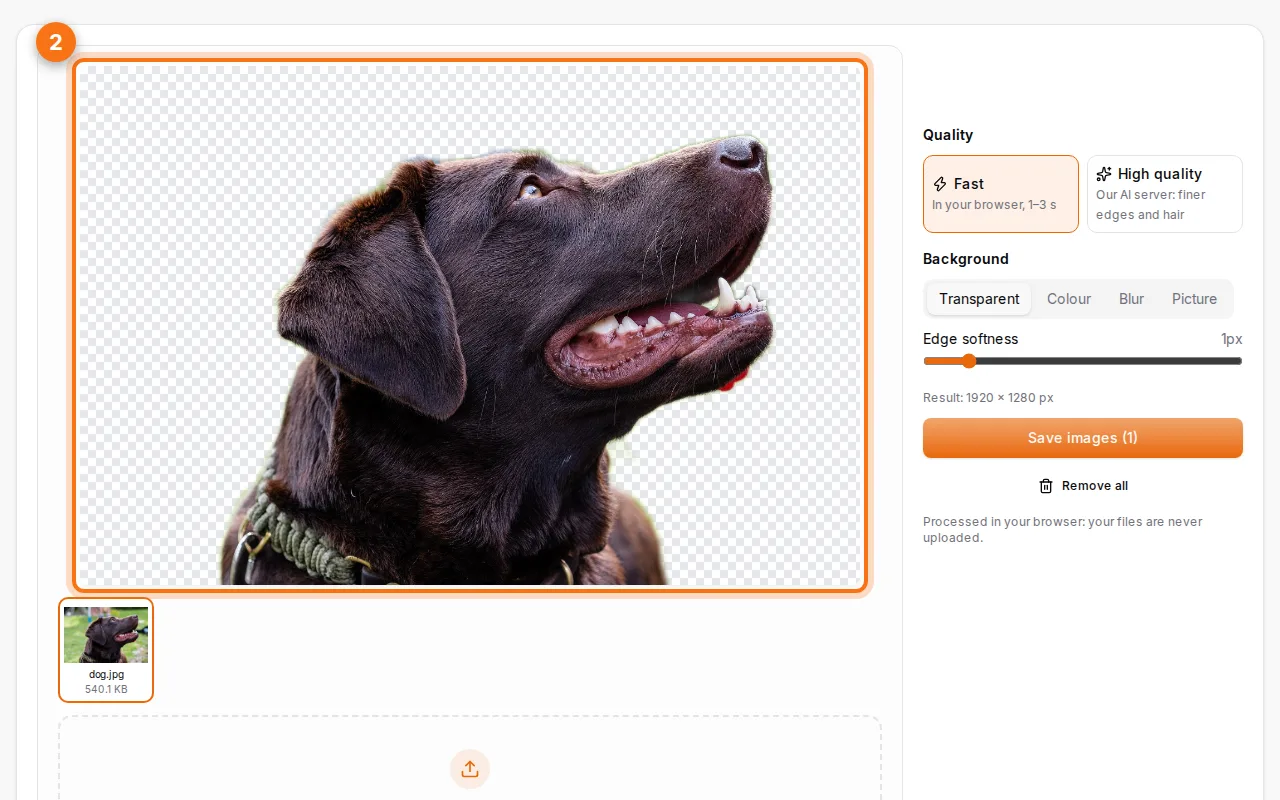
- Choose what goes behind and save. Keep it transparent, pick a colour (white for online shops, blue for some ID photos), or choose a picture. Then save as PNG (transparent) or JPG.
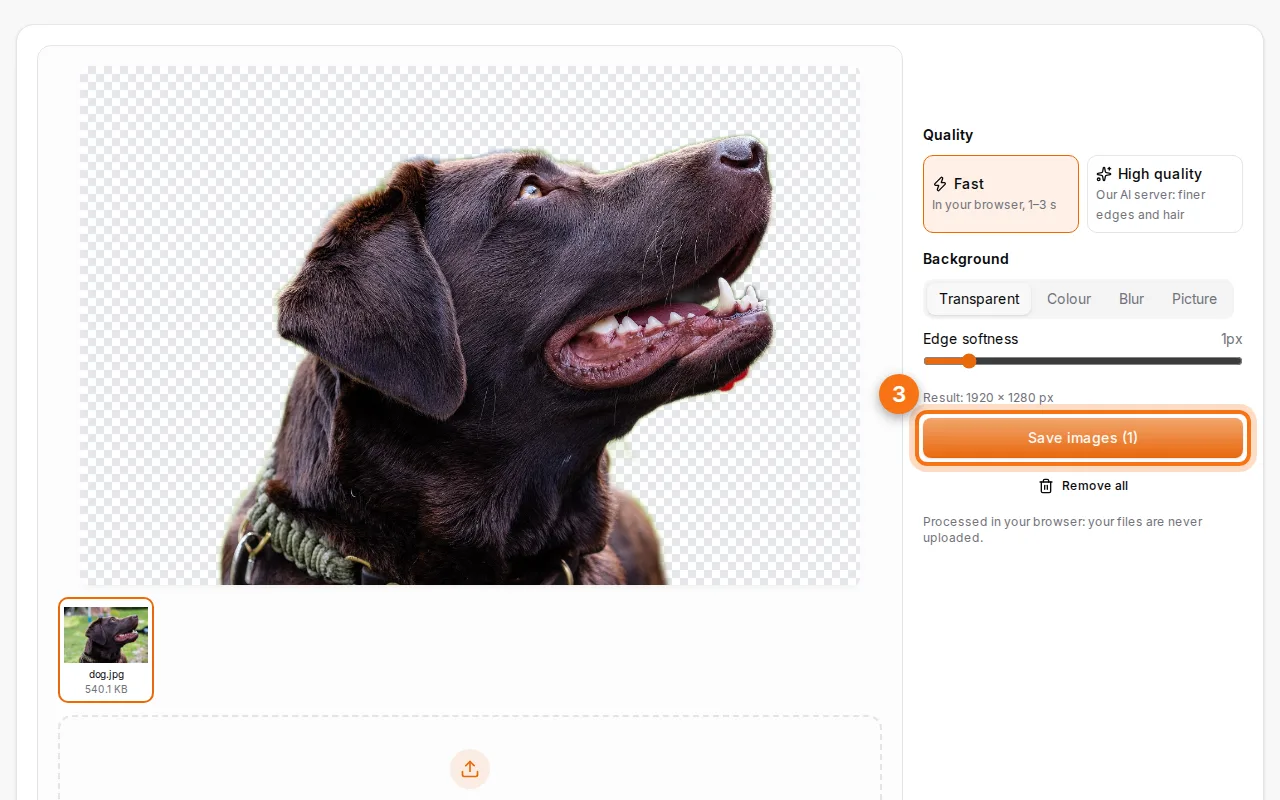
Fast or high quality?
- Fast runs a small AI model in your browser: the photo never leaves your device, and each image takes 1 to 3 seconds.
- High quality sends the photo to our AI server for finer edges around hair, fur and transparent objects. The picture is deleted right after processing.
Try Fast first. If the edges of hair look rough, switch to High quality.
Tips for clean cut-outs
- Contrast helps: a subject that stands out from the background (colour, light) gives sharper edges.
- Keep the whole subject in the frame: cut-off arms or ears stay cut off.
- Use the edge softness setting to blend the subject into a new background.
- Big photos give better detail: don't shrink the photo before removing the background, resize it after.
Common uses
- Online shop products on a clean white background.
- Profile and CV photos with a plain background.
- ID photo backgrounds: put a white or light-grey background, then use the ID photo size in Resize images.
- Logos made transparent to put on documents, slides or a QR code.
- Stickers and designs for social media.
PNG or JPG?
Only PNG (and WebP) keep transparency. Choose JPG only if you've put a colour or a picture behind the subject; the file will be much smaller. You can shrink a PNG afterwards with Compress images.
FAQ
Is it free?
Yes, with no sign-up and no watermark.
Are my photos uploaded?
Not in Fast mode: everything happens in your browser. High quality uploads the photo for processing and deletes it afterwards.
Can I remove the background from several images at once?
Yes. Add several photos: each one is processed, and you can download them all in a ZIP.
Why do some edges look rough?
Very fine details (loose hair, glass, smoke) are hard for any AI. Switch to High quality, and use edge softness.