How to Fill and Print a Cheque With Your Printer
To print a cheque, open the Fildok cheque printer, choose your cheque model (Algeria, Morocco, Tunisia, France, USA, Canada), type the payee, the amount and the date, check the preview, then click Print the cheque with the cheque in your printer. The amount in words is written for you, in French, Arabic or English, and lands exactly on the lines of the real cheque.
It's ideal for businesses that write many cheques, and for anyone who wants neat, readable cheques without mistakes in the amount in words.
How to print a cheque, step by step
- Choose your cheque. Pick the model: all Algerian banks and CCP share one size (175 × 80 mm), and there are layouts for Morocco, Tunisia, France, and US and Canadian personal and business cheques. Layouts marked "Checked on a real cheque" were measured on actual cheques.
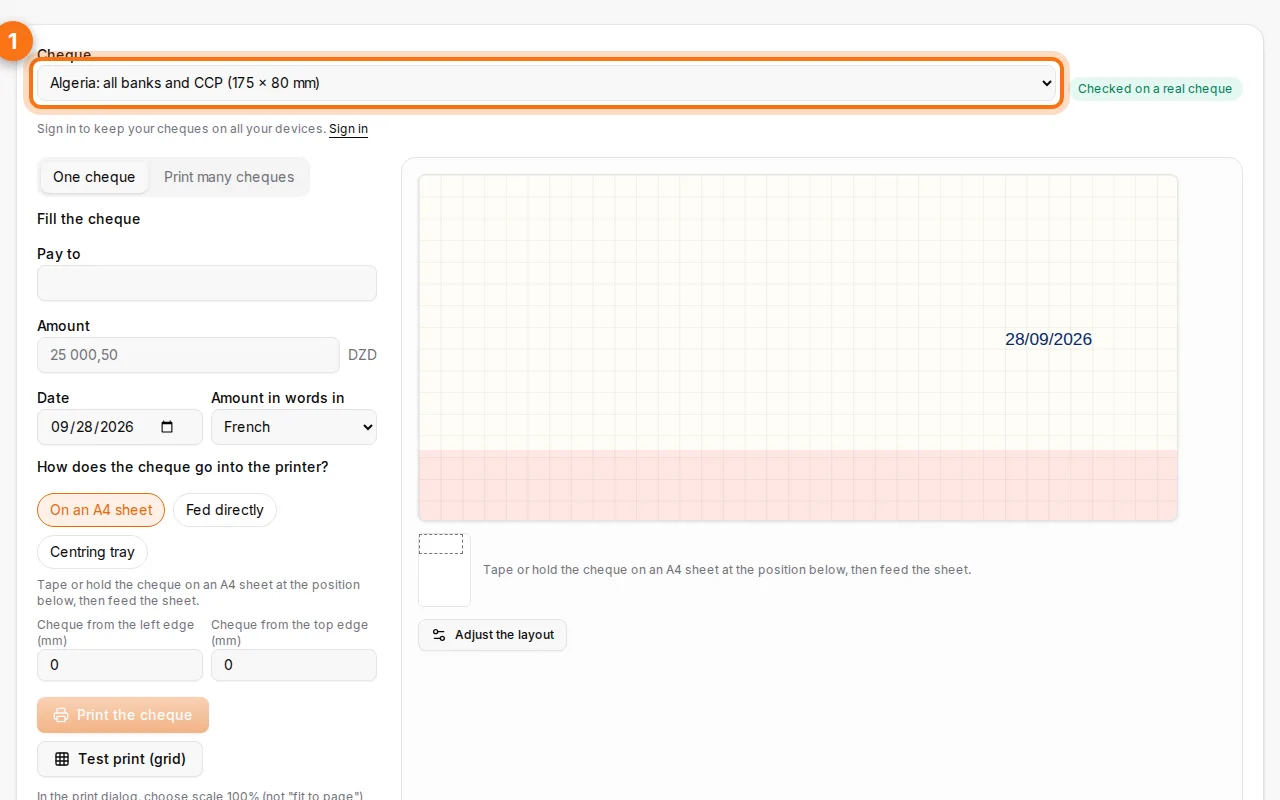
- Fill in the cheque. Payee, amount in figures, date and place. Choose the language of the amount in words.
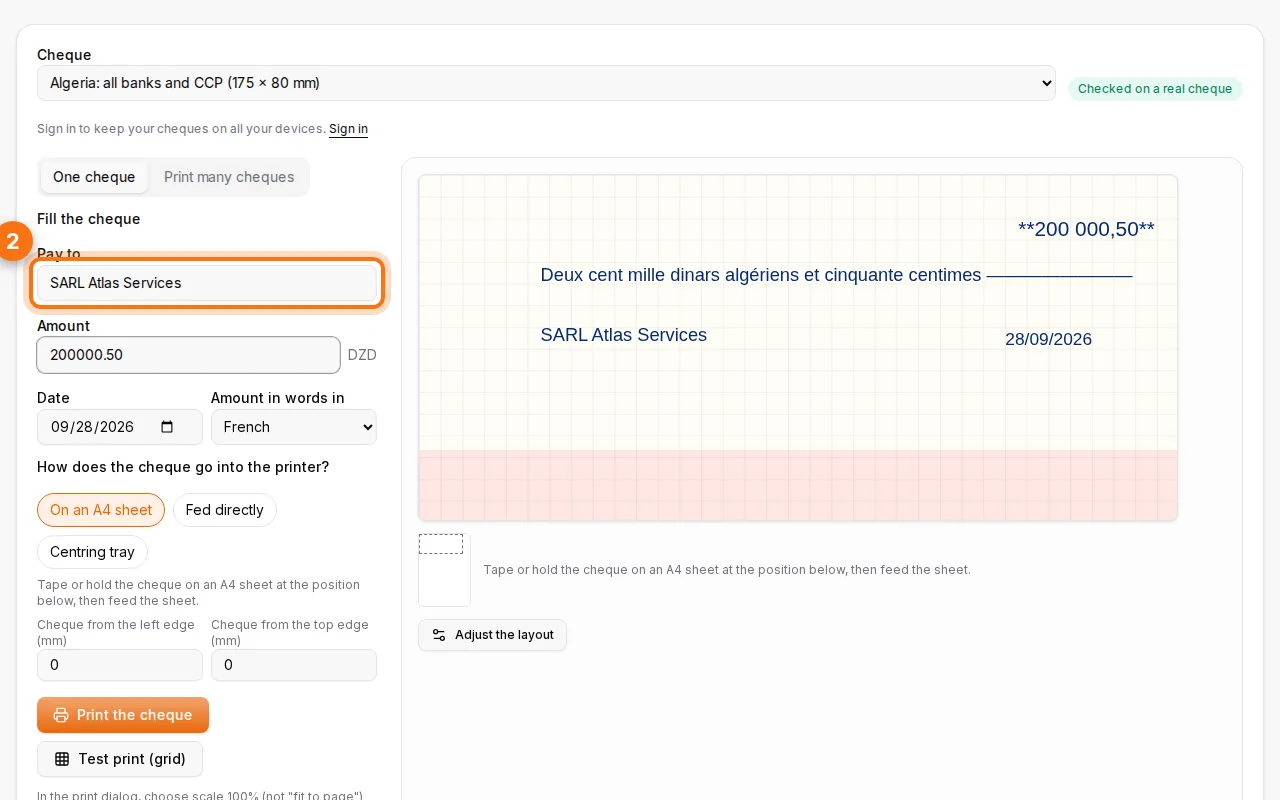
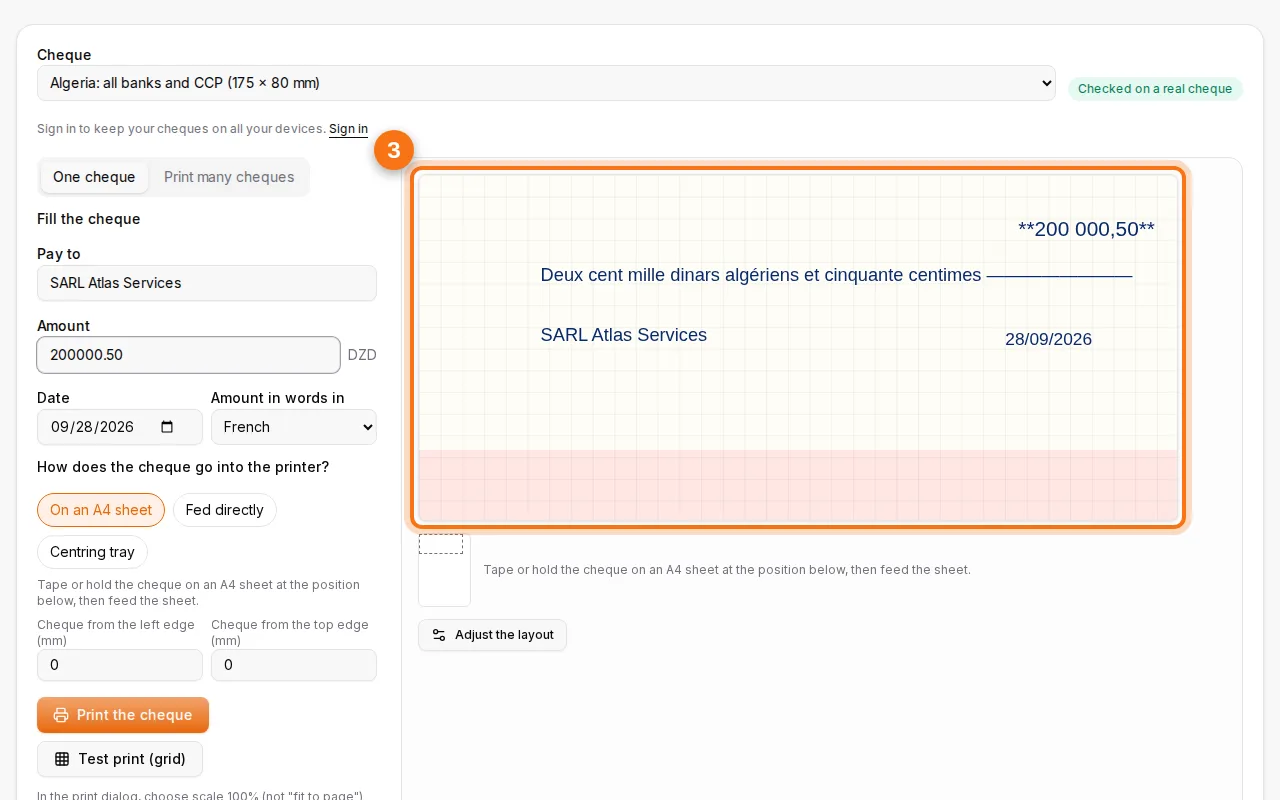
- Check the preview. The preview shows the text on the cheque at its real position. Move any field by dragging it if your cheque is slightly different.
- Print. Choose how the cheque goes into your printer: on an A4 sheet (tape the cheque at the marked spot), fed directly in the manual slot, or in a centring tray. Then print.
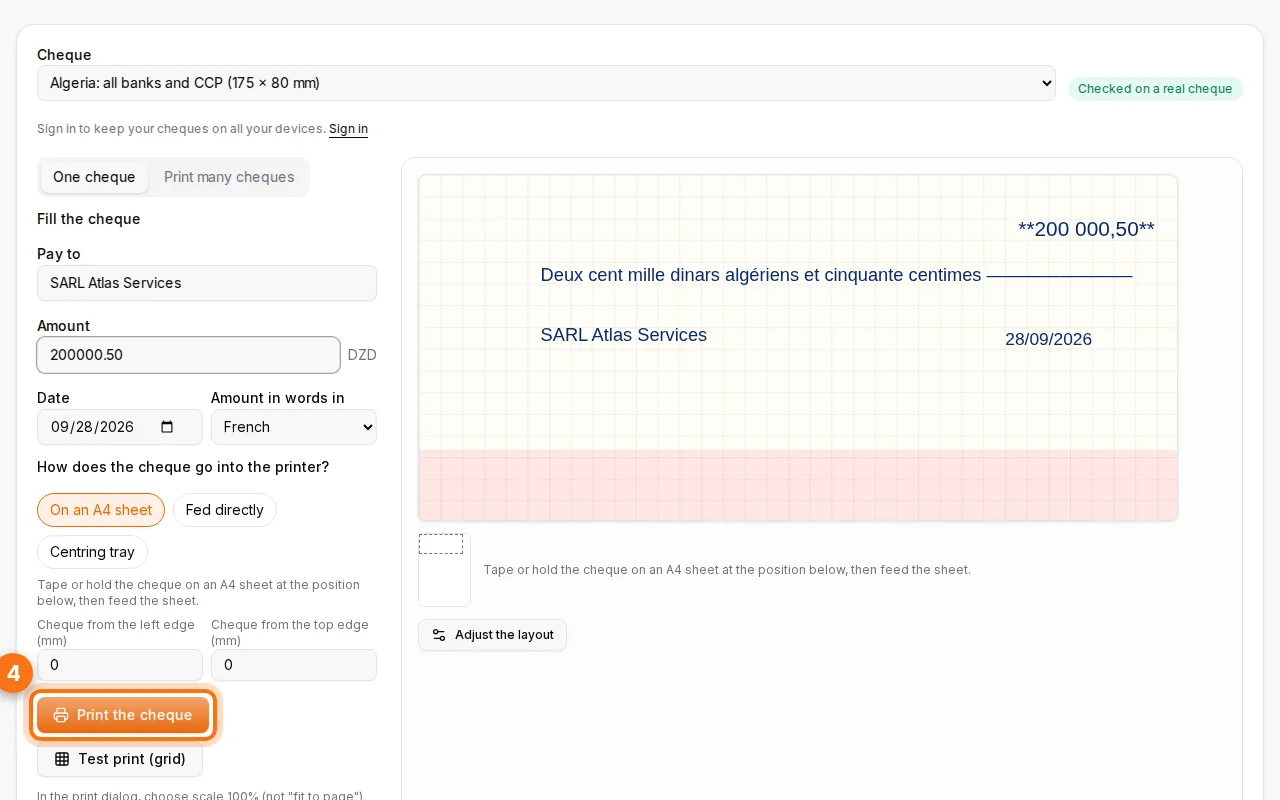
Test on plain paper first
Before using a real cheque, print once on plain paper, hold it against the cheque in front of a light, and check the text sits on the lines. If it's a few millimetres off, adjust the offsets ("from the left edge", "from the top edge") and the setting is remembered on your device.
Your own cheque model
If your cheque isn't in the list, photograph it, crop the photo to its edges and enter its real size in millimetres. Then drag each field onto the right place. The photo stays on your device. You can export the layout to share it with a colleague, and import it on another computer.
Printing many cheques at once
Paying suppliers or salaries? Choose Print many cheques, then paste rows from Excel or Google Sheets (payee, amount, date, place, memo) or import a CSV file. Each row becomes one cheque, errors are listed by line, and Print all prints them one after another.
The amount in words, done right
The amount in words is the part that counts if the figures and words disagree, and it's easy to get wrong ("quatre-vingts", "deux cents", Arabic agreements). The printer uses the same engine as the amount in words tool, and writes dinars and centimes, dirhams, euros or dollars correctly.
FAQ
Which printers work?
Any inkjet or laser printer that can take a small card through a manual slot, or an A4 sheet with the cheque taped on it.
Is it free?
Yes, with no account. Your layouts and settings are kept in your browser; with a free account they follow you on every device.
Is it safe to type cheque details online?
The cheque is laid out and printed in your browser, and the printer receives it directly from your device. If you're signed in, your layouts and printer settings are saved in your private account so they follow you.
Can I print the amount in Arabic?
Yes. Choose Arabic for the amount in words: it's written with the correct grammar for the currency.