Free Invoice and Quote Generator (PDF, Excel)
To make a quote or an invoice for free, open the Fildok quote and invoice generator, pick the document type, fill in your business, your client and the lines, then download a PDF (or an Excel file). VAT is calculated per line, the total is written out in words, and nothing needs to be installed. You don't need an account to make a document; a free account lets you save your business details, number documents automatically and keep them in one place.
This guide shows each step, then covers what a correct invoice must contain in Algeria, how to handle several VAT rates, and when to use a quote, a pro forma or a credit note.
How to make an invoice step by step
- Choose the document. Pick Invoice, Quote, Pro forma, Credit note, Purchase order, Delivery note or Receipt. The same form serves them all, and the title and numbering change with the type.
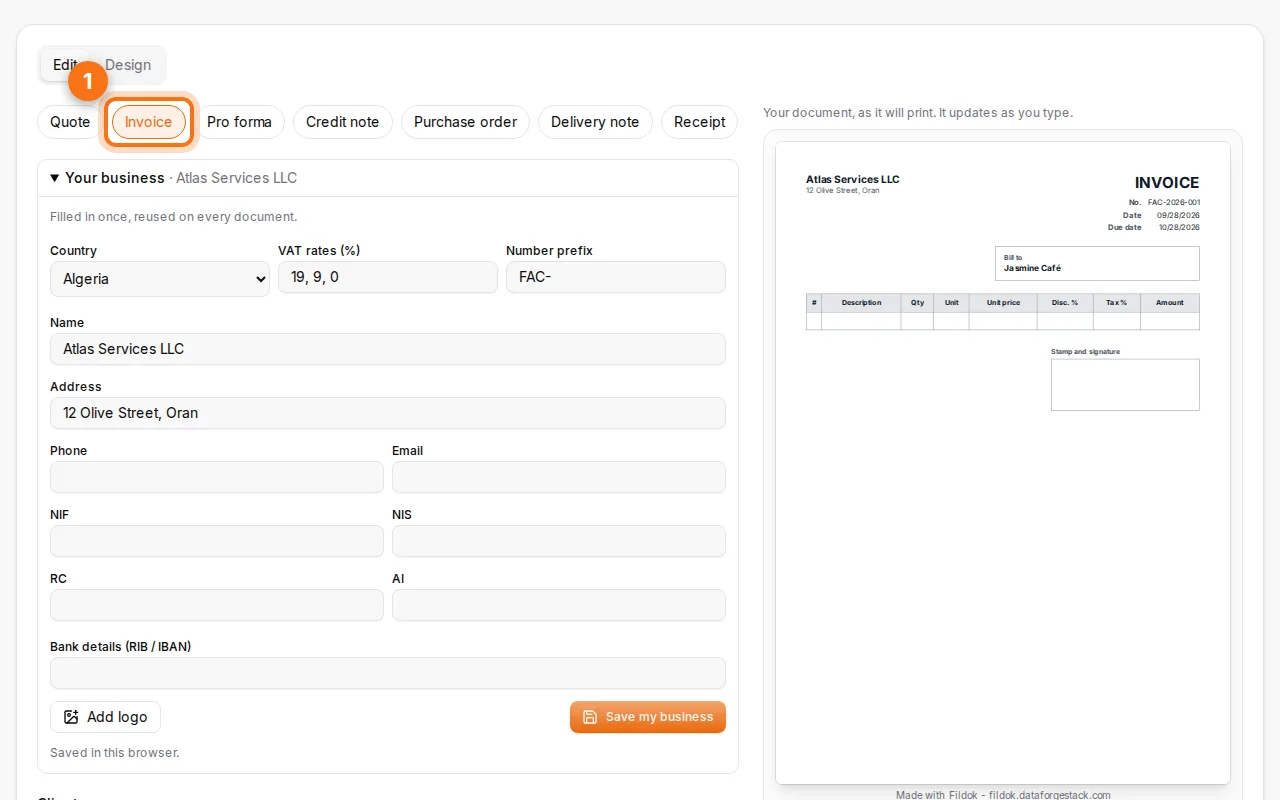
- Fill in your business and your client. Add your name, address and legal identifiers (NIF, NIS, RC, article d'imposition), and your logo if you have one. The client block takes the same fields.
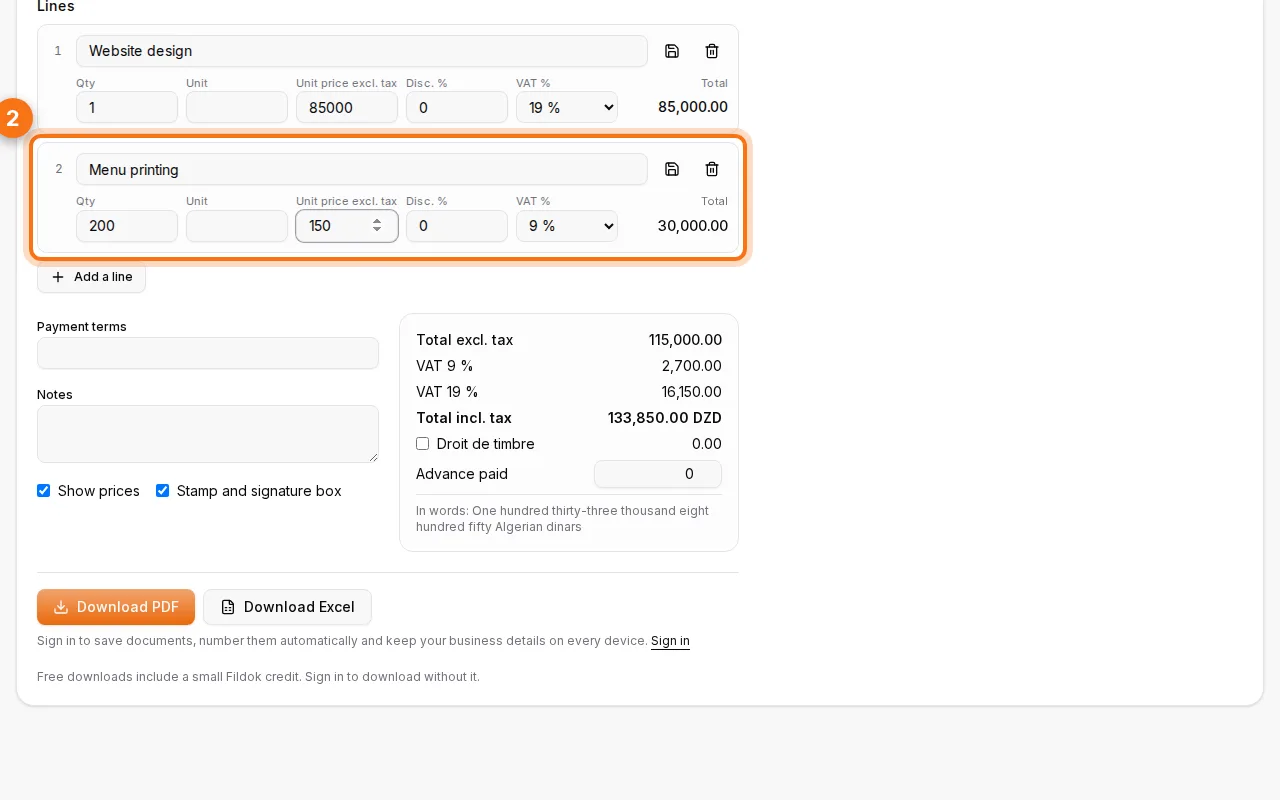
- Add the lines. For each product or service, type a description, the quantity, the unit price excluding tax and the VAT rate. Add a discount per line if you give one. Totals update as you type.
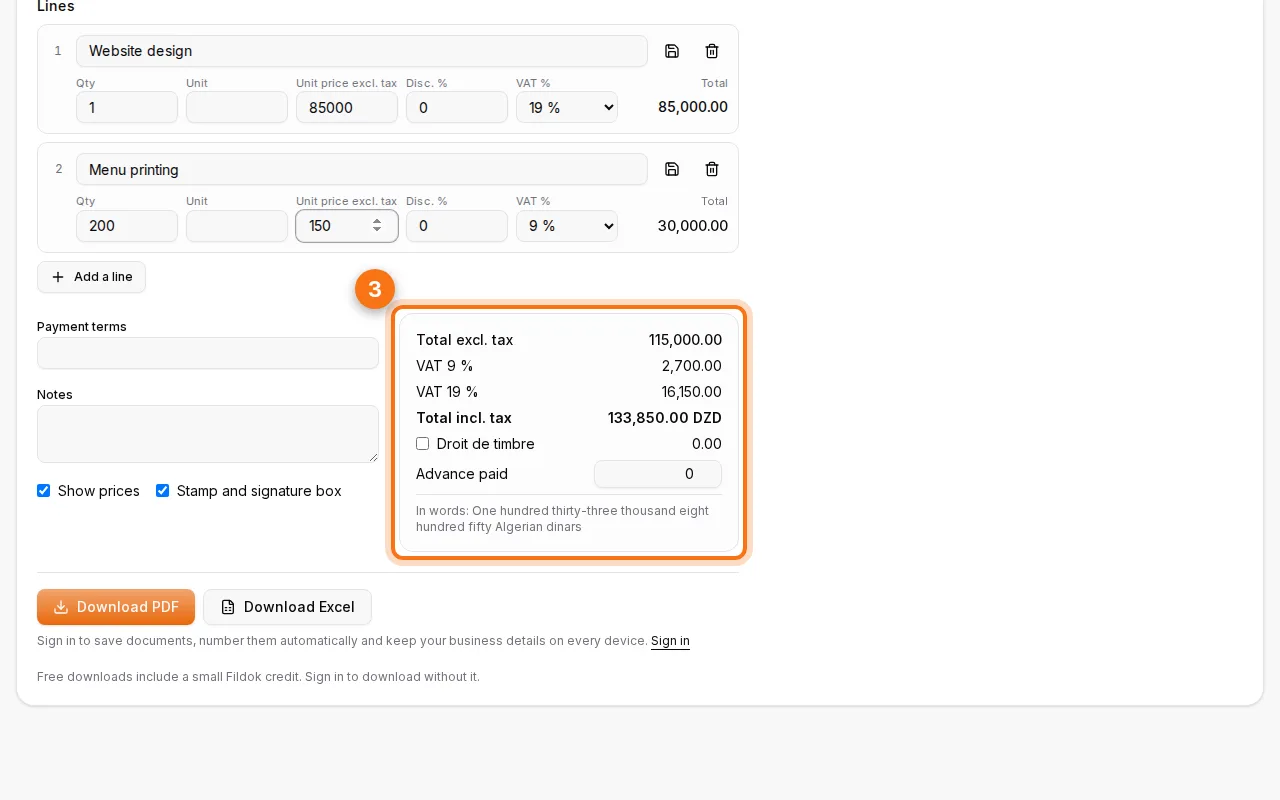
- Check the totals. The summary shows the total excluding tax, the VAT for each rate, the total including tax and the amount in words, which many clients and banks in Algeria expect on an invoice.
- Download. Choose Download PDF to send or print it, or Download Excel if you want to keep editing it in a spreadsheet.
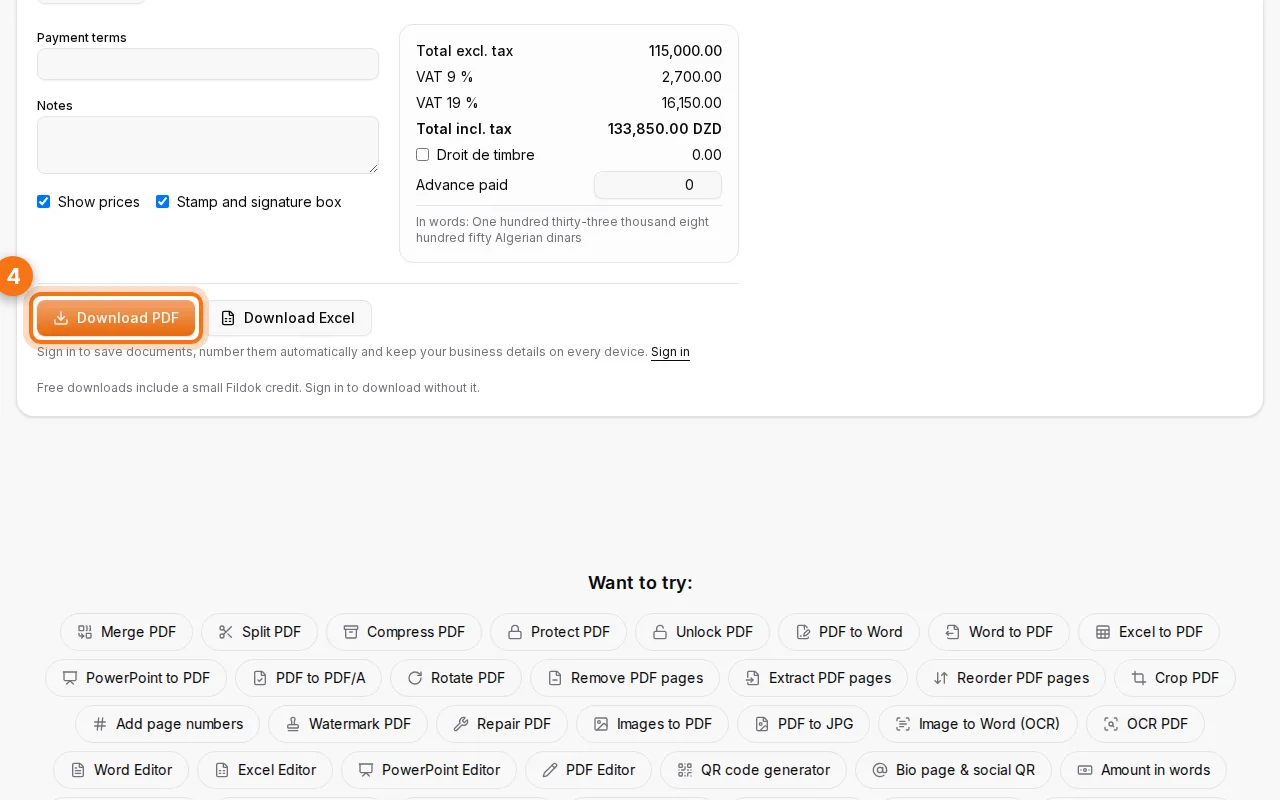
That's it: a clean, printable document in a few minutes, without a template to fight with.
What must an invoice contain in Algeria?
An invoice is a legal document, so the details matter. In Algeria, the rules come from executive decree 05-468 on invoices. A compliant invoice carries:
- The seller: company name and legal form, address, and the tax identifiers: NIF (tax identification number), NIS (statistical number), RC (trade register number) and the article d'imposition.
- The buyer: name and address, plus the same identifiers when the client is a business.
- The document: a unique number following an unbroken sequence, and the date.
- The lines: a description of each product or service, the quantity, the unit price excluding tax.
- The taxes: the VAT rate and amount (19% normal rate, 9% reduced rate, or exempt), and the totals excluding and including tax.
- The payment terms when relevant: due date, method, and any early-payment discount.
Fildok's form has a place for each of these. Your business details can be saved once (with a free account) so every new document starts filled in.
Tip: always write the total in words as well as in figures. If the two ever disagree, it is the amount in words that people rely on, and it makes changes to the figures easy to spot.
Several VAT rates on one invoice
Many invoices mix rates: a 19% service and a 9% product, or an exempt item. Give each line its own rate. Fildok groups the tax by rate in the totals ("VAT 9%", "VAT 19%"), which is exactly what your accountant needs to report it.
Discounts work the same way: a discount on a line reduces that line's base before VAT is applied.
Quote, pro forma, invoice or credit note: which one?
| Document | When to use it | Does it ask for payment? |
|---|---|---|
| Quote | Before the sale, to propose a price | No |
| Pro forma | Before delivery, often for an advance or an import file | No (it's a firm offer) |
| Invoice | After the sale or the service | Yes |
| Credit note | To cancel or reduce an invoice already issued | It refunds or deducts |
| Delivery note | With the goods, to confirm what was delivered | No |
| Receipt | To confirm a payment was received | No |
A usual path is quote → (pro forma) → invoice. When a quote is accepted, you can turn it into an invoice without typing the lines again, and a credit note can be made from an invoice the same way.
Your logo, colours and layout
Quotes and invoices come in several designs. You can switch the page direction (right to left for Arabic documents), swap the sides of your business and client blocks, move each part of the page, and change the colours. With an account, your design choices are remembered for each document type.
Save, number and find your documents
Without an account, you make and download documents freely. A free account adds:
- Automatic numbering per document type and year, so you never reuse a number.
- Saved business, clients and products, reused in one click.
- Save to My Files: the Excel and PDF versions are stored in your Fildok space, ready to open in the online Excel editor.
What to do with the PDF next
- Need a smaller file for email? Run it through Compress PDF.
- Sending a batch of invoices at once? Merge them into one PDF.
- Paying by cheque? The amount in words tool and the cheque printer fill the cheque for you.
FAQ
Is the invoice generator really free?
Yes. Making and downloading quotes and invoices is free, with no limit on the number of documents. Documents made without an account carry a small Fildok credit; signed-in users download without it.
Can I make an invoice in Arabic or French?
Yes. The document follows the language you choose, and Arabic documents are laid out right to left. The amount in words can be written in French, Arabic or English.
Is a PDF invoice legally valid?
A PDF invoice is valid as long as it carries the required details (identifiers, number, date, VAT) and matches what you record in your accounts. Keep a copy of every invoice you issue.
Can I change an invoice after sending it?
You shouldn't edit an invoice that was already sent. Issue a credit note that cancels or reduces it, then a new invoice if needed.
Which currencies are supported?
Algerian dinars (DZD) by default, and other currencies such as euros, dollars, Moroccan dirhams or Tunisian dinars. The amount in words follows the currency.