Free Link in Bio Page With a Social Media QR Code
A link in bio page gathers your photo, a short bio, your social networks and your important links on one mobile page. With the free Fildok bio page tool you build it in a few minutes, publish it at fildok…/@yourname, and get a QR code for business cards, menus, flyers and shop windows. You can change the page at any time, and the printed code keeps opening it.
Here's how to make one, and how to get the most out of it.
How to make your bio page, step by step
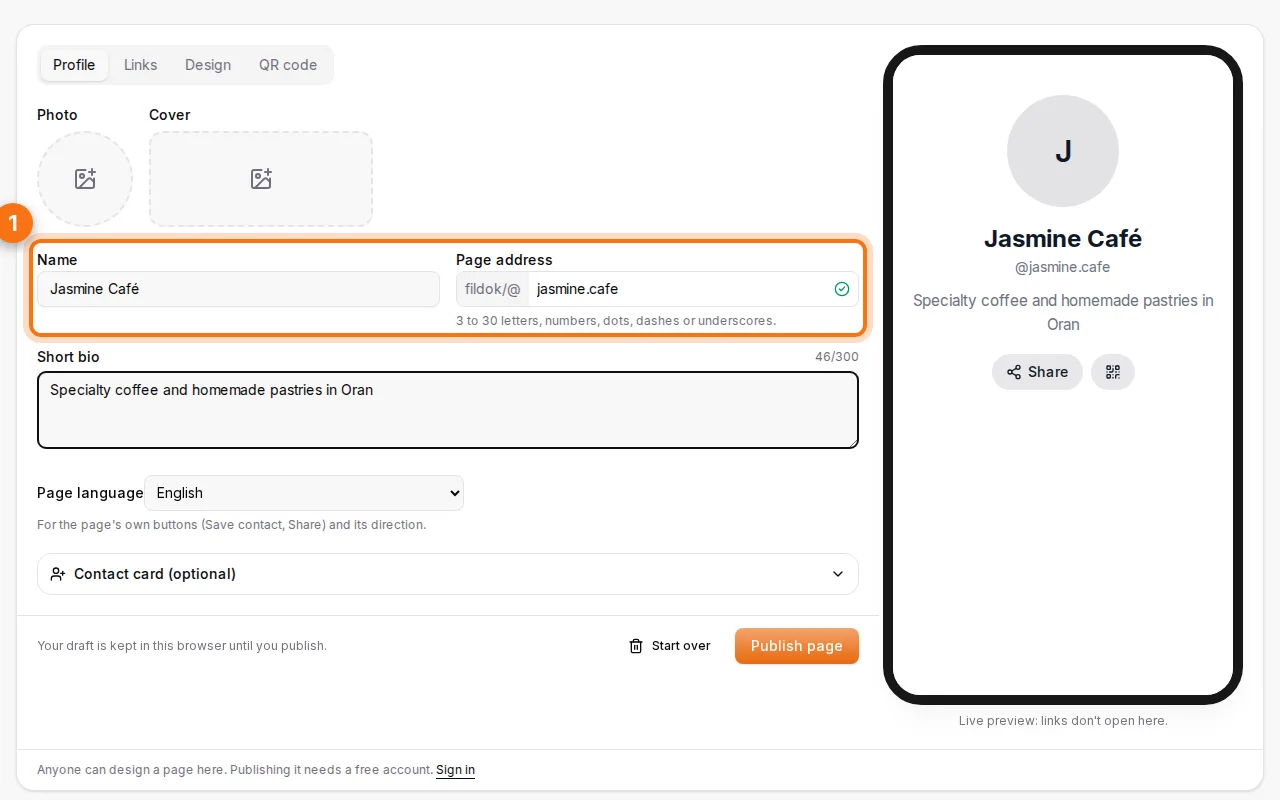
- Add your profile. A photo (you place and zoom it), an optional cover, your name or business name, a short bio of up to 300 characters, and the address of your page. The page language (English, French or Arabic) sets its buttons and direction.
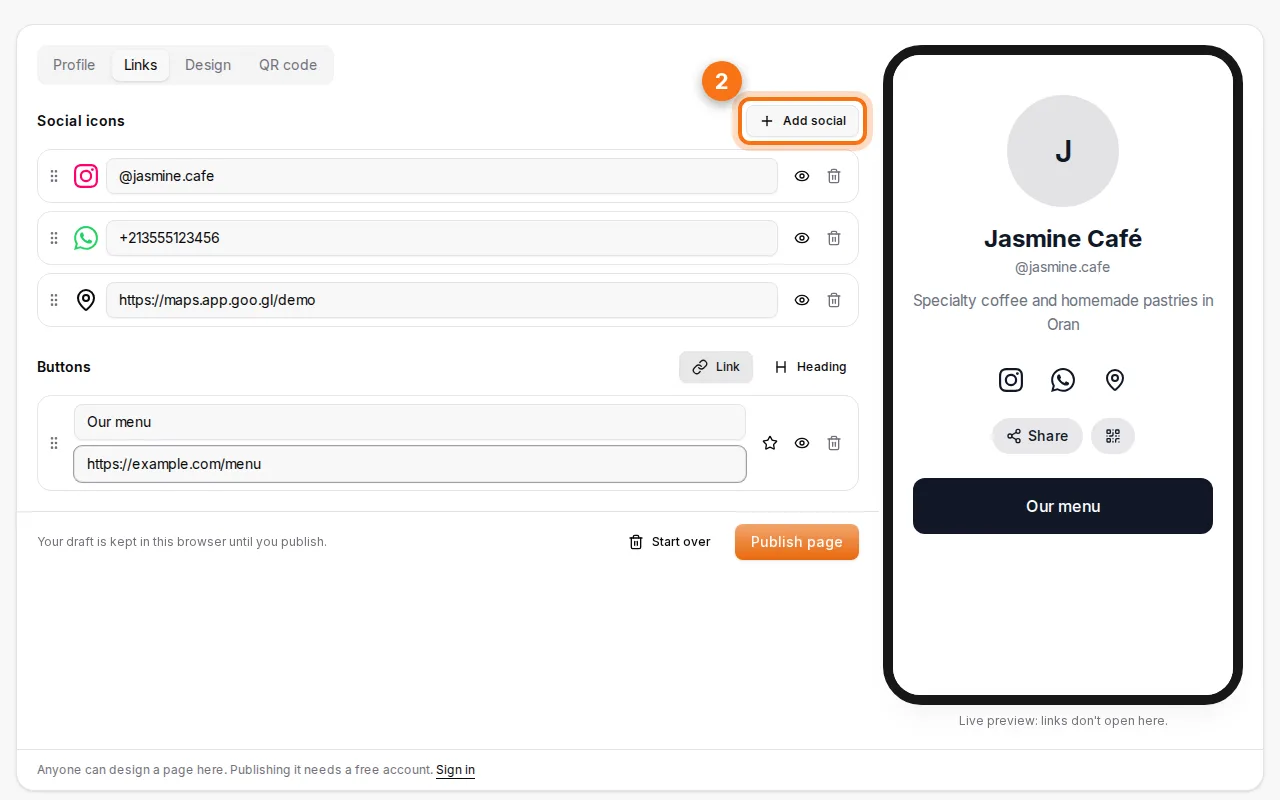
- Add your social networks and links. Pick from 31 networks (Instagram, TikTok, Facebook, WhatsApp, YouTube, Snapchat, Telegram, LinkedIn, Maps…) and just type your handle: the profile link is built for you. Add buttons for your menu, shop, booking page or latest video, and headings to group them. Drag to reorder, and star one button to highlight it.
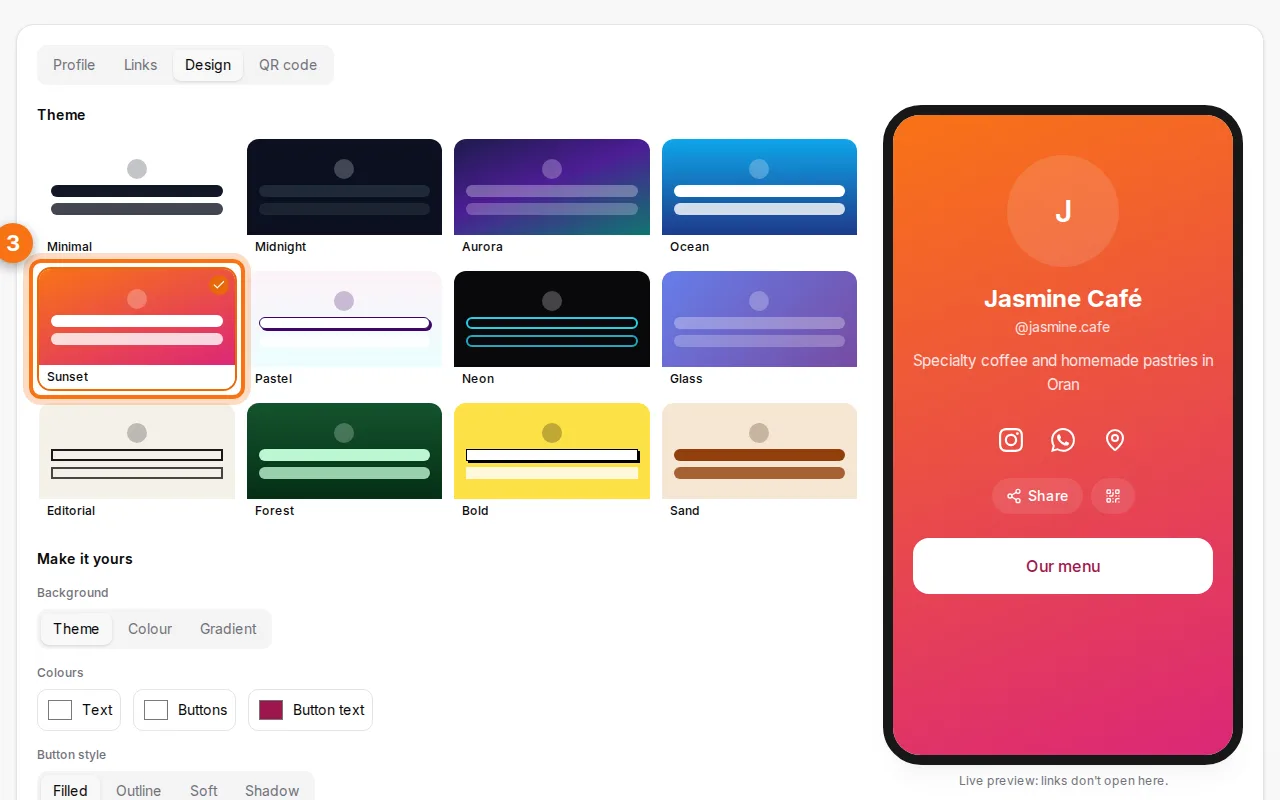
- Pick a theme. Twelve themes (Minimal, Midnight, Aurora, Ocean, Sunset, Pastel, Neon, Glass, Editorial, Forest, Bold, Sand), then your own background, colours, button style, corners, font and photo shape.
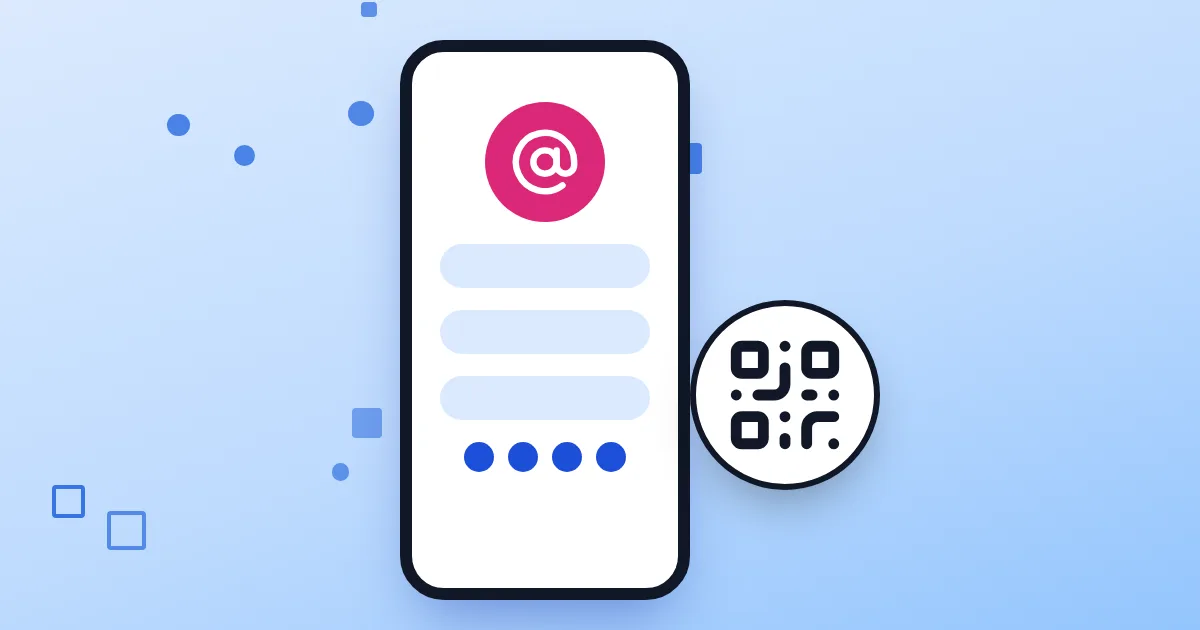
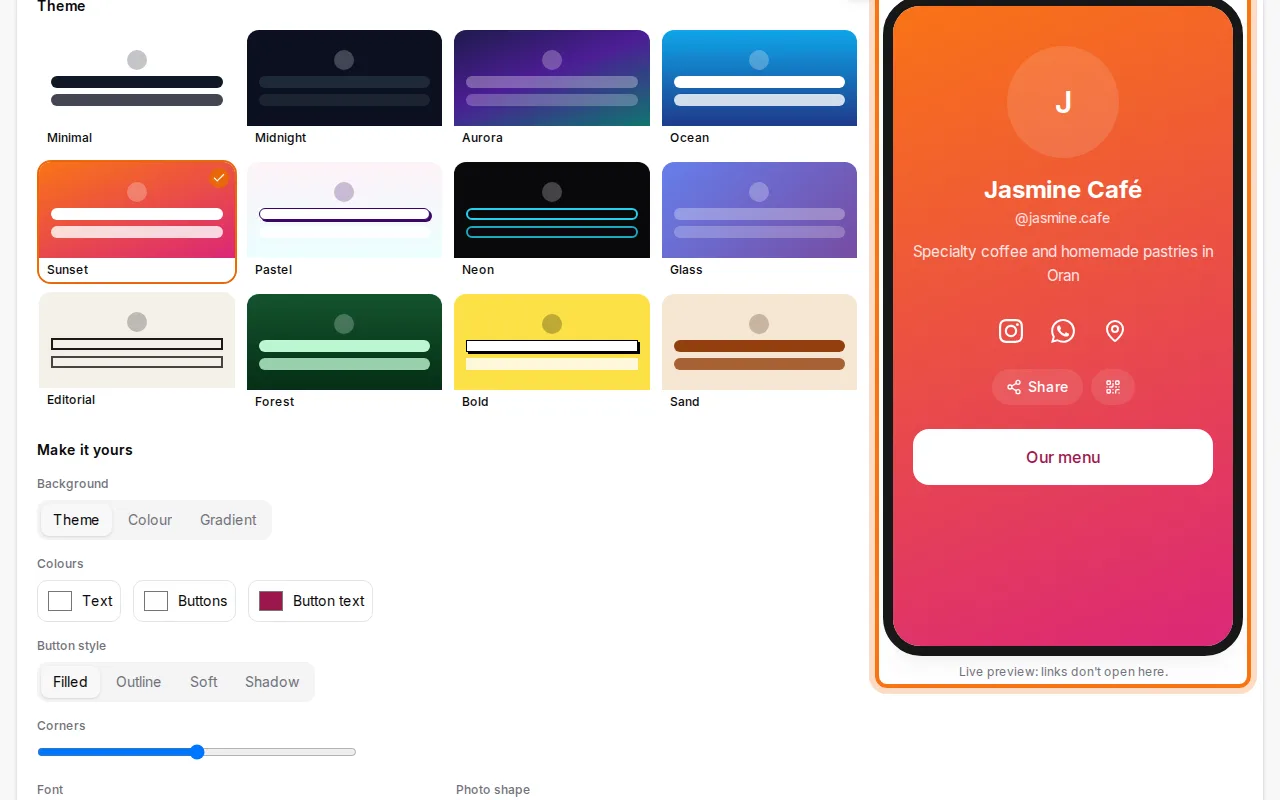
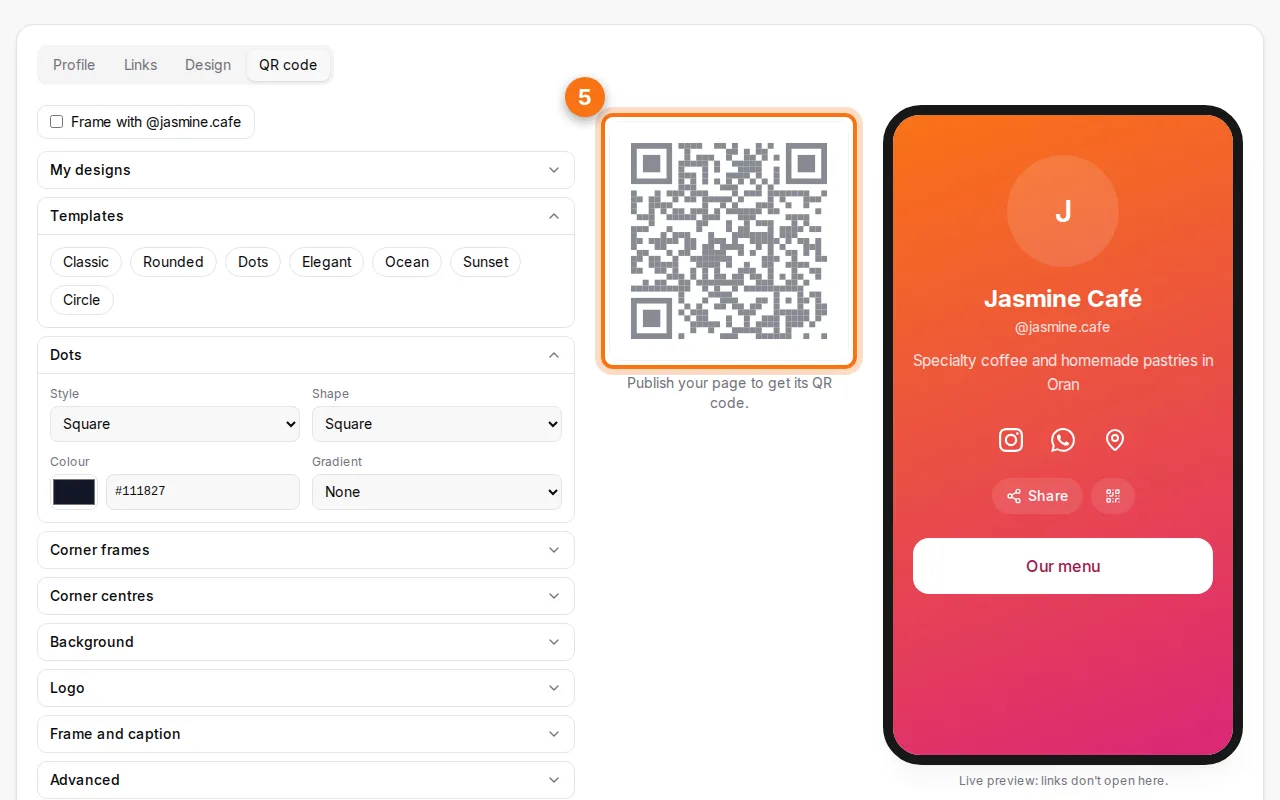
- Check the live preview. The phone preview shows exactly what visitors will see.
- Publish and get your QR code. Publishing needs a free account, and your draft is kept while you sign up. Then download the QR code, with your photo in the middle and "@yourname" in the frame if you like.
Why a bio page instead of a normal QR code?
A normal QR code opens one thing. A bio page opens everything: your Instagram, your WhatsApp for orders, your location on the map, your menu and your website, all from a single scan. And because the printed code points to the page, not to a fixed link, you can change your links, photo or even your page address without reprinting.
See what works
Your page counts visits (and how many came from the QR code) and taps on each link. After a week you know which network your customers use, and which button deserves the top spot.
Ideas
- Cafés and restaurants: menu, WhatsApp orders, Google Maps, Instagram, on a table card.
- Freelancers: portfolio, LinkedIn, booking link and a "Save contact" button on your business card.
- Shops: catalogue, delivery WhatsApp, TikTok, on the shop window and bags.
- Events: programme, registration, live stream, on the poster.
- Creators: one link for your Instagram or TikTok bio.
Save contact, share and report
If you fill in the contact card (phone, email, company), your page gets a Save contact button that adds you to the visitor's phone in one tap. Every page also has Share and QR buttons, and a Report link: links are checked for phishing and malware, so your visitors stay safe.
FAQ
Is it free?
Yes: the page, its QR code and its statistics are free, with up to 10 pages per account.
Do I need an account?
You can design your page without one. Publishing needs a free account, so that every public page has an owner who can update it.
Can I change my page after printing the QR code?
Yes. Edit anything, even the page address: the printed code keeps opening your page.
Which link shorteners can I use?
None: use full addresses (not bit.ly or linktr.ee), so visitors always see where a button leads.
Can I make a simple QR code instead?
Yes, the QR code generator makes codes for one link, Wi-Fi, a contact or WhatsApp.