Find and Remove Invisible Characters in Text
To find invisible characters in a text, paste it into the invisible characters tool. It highlights every hidden character (zero-width spaces, joiners, direction marks, Unicode tag characters, unusual spaces, soft hyphens) and tells you how many of each it found. Then copy or download the clean text. It works in your browser; nothing is sent anywhere.
How to clean a text, step by step
- Paste the text or open a text file (.txt, .md, .csv, .json, .html, .srt).
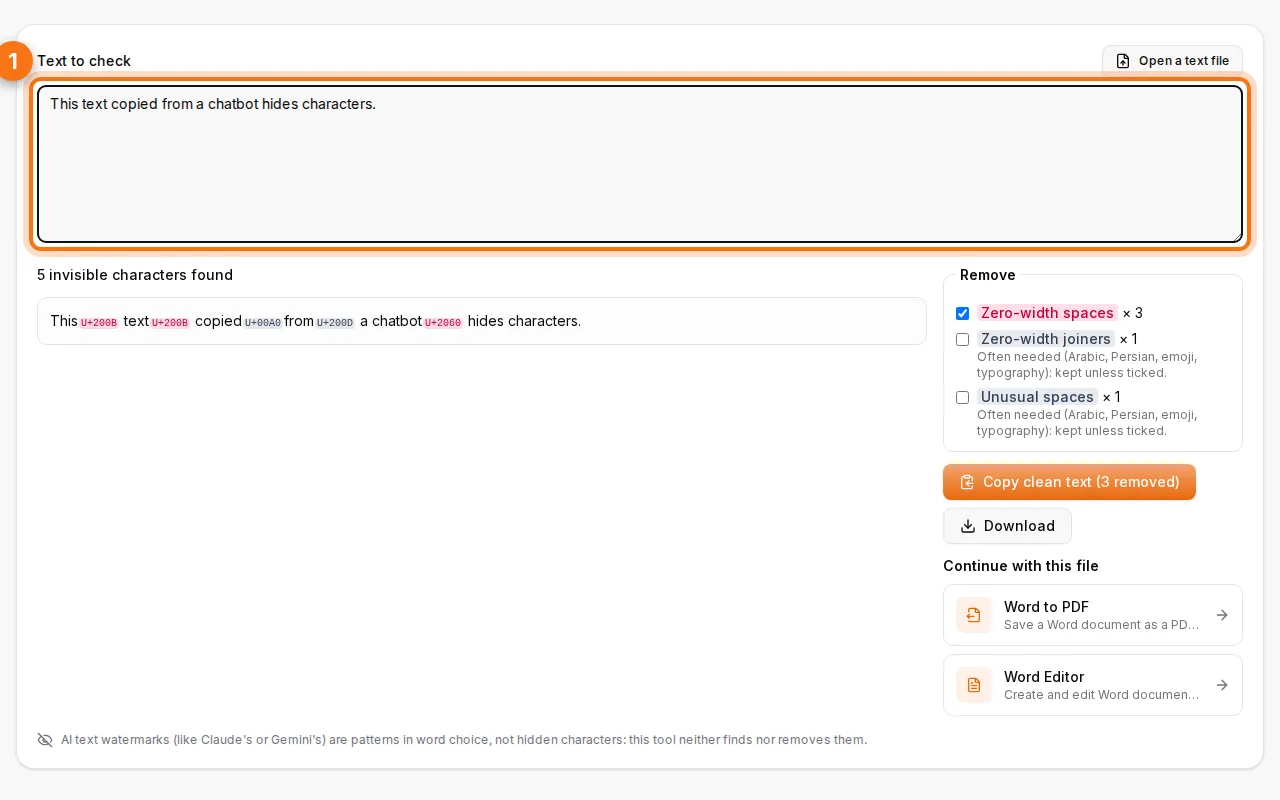
- See what's hidden. Each invisible character is marked in place and counted by kind. If the text hides a message in Unicode tag characters, it's decoded and shown.
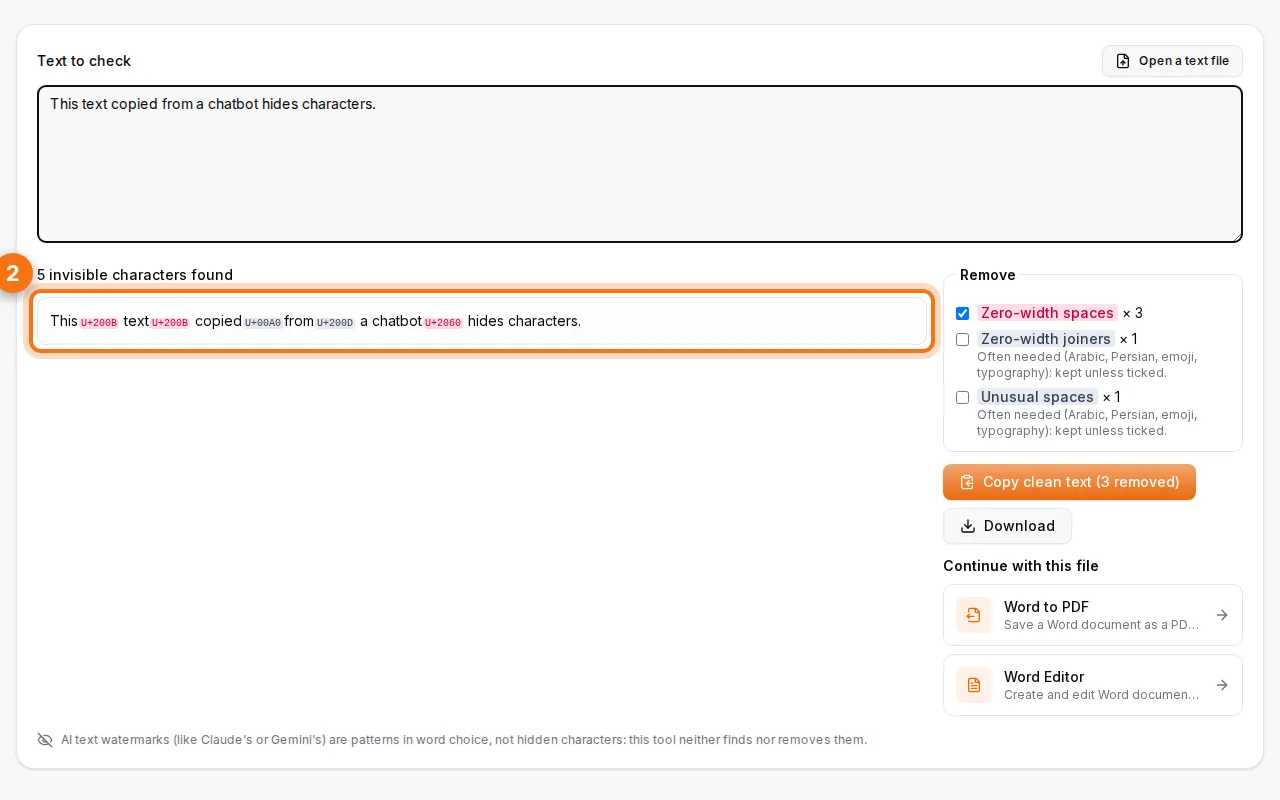
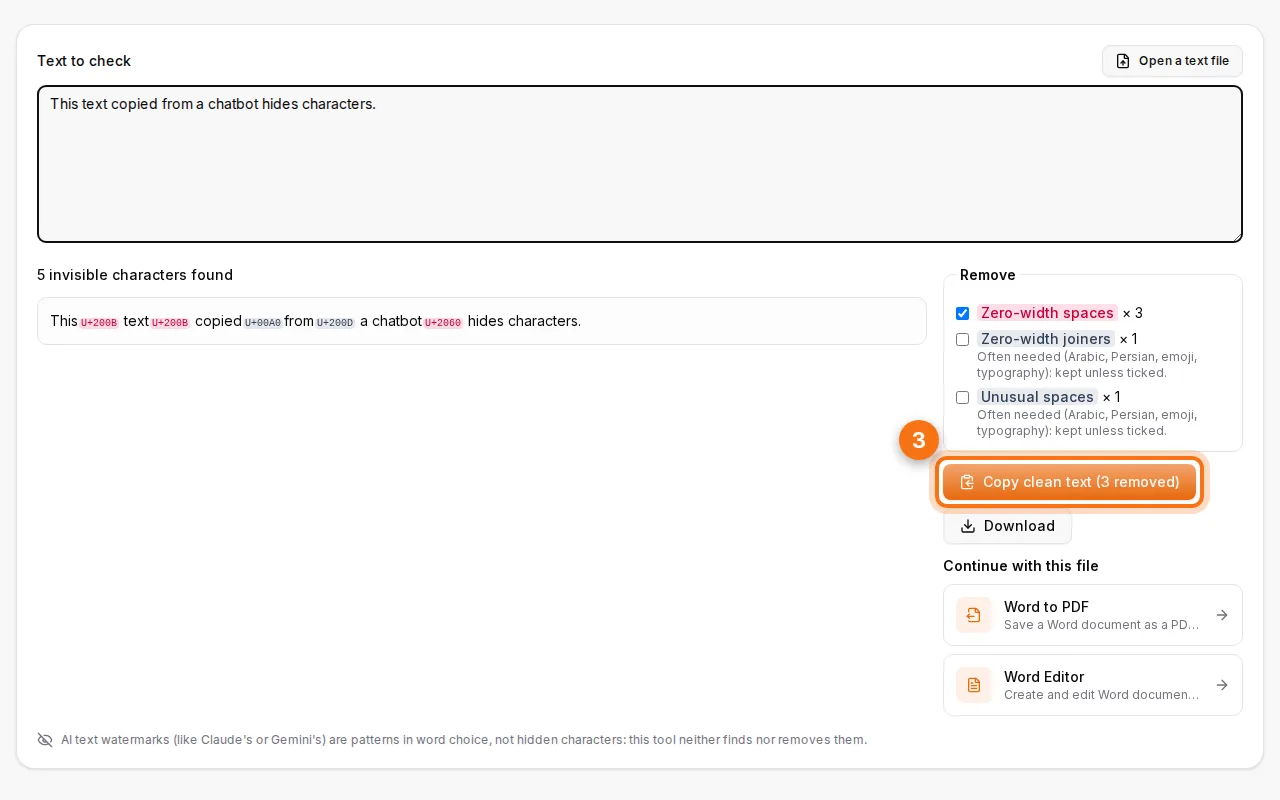
- Choose what to remove and copy the clean text. By default, the characters that some languages need (joiners used in Arabic and Persian, in emoji, and some special spaces) are kept. Tick them if you want them gone too.
What are invisible characters?
Unicode has many characters that take no visible space:
| Character | What it's for | Why it causes trouble |
|---|---|---|
| Zero-width space (U+200B) | Allows a line break inside long words | Breaks search, word counts and code |
| Zero-width joiner / non-joiner | Shapes Arabic, Persian and emoji | Harmless where needed, odd elsewhere |
| Direction marks (LRM, RLM) | Fix the order of mixed Arabic/Latin text | Can reorder text in surprising ways |
| Unicode tag characters | Emoji flags… and hidden messages | Can carry invisible instructions |
| Non-breaking and narrow spaces | Typography (French punctuation) | Make "identical" words not match |
| Soft hyphen | Optional hyphenation point | Breaks search and copy-paste |
Where do they come from?
- Chatbot answers: text copied from AI assistants sometimes contains special spaces and joiners from the formatting.
- PDFs and Word files: soft hyphens and non-breaking spaces come along when you copy.
- Web pages and social media: zero-width characters are used for layout, and sometimes to track copied text.
- Prompt injection: Unicode tag characters can hide instructions that a person can't see but an AI system reads. The tool shows these as a decoded hidden message.
Do they prove a text was written by AI?
No. AI text watermarks (like those of Claude or Gemini) are patterns in word choice, not hidden characters. This tool neither finds nor removes them, and no tool can tell reliably from characters alone who wrote a text. Invisible characters only show that the text passed through some tool, a PDF or a web page. For images, the AI image checker reads real provenance data.
When cleaning helps
- Code and data: a zero-width space in a variable name or a CSV value breaks programs in ways that are hard to see.
- SEO and web content: hidden characters in titles or URLs make pages harder to find.
- Forms and databases: names that look identical but don't match.
- Security: before pasting untrusted text into an AI assistant, check it for hidden instructions.
- Word counts for school or translation work.
After cleaning, write or format the text in the online Word editor, or turn it into a PDF with Word to PDF.
FAQ
Will cleaning break my Arabic text?
No. The joiners and marks Arabic needs are kept by default. Only remove them if you know you don't need them.
Is the text sent to a server?
No, everything happens in your browser.
Is there a length limit?
Very long texts are cleaned in full; the preview shows the first part only.
Can I clean a subtitle file?
Yes, open the .srt file, clean it and download the result.