How to Make a Scanned PDF Searchable With Free OCR
To make a scanned PDF searchable, open OCR PDF, add the PDF and click Make searchable. OCR (optical character recognition) reads the text in each page picture and adds an invisible text layer on top, so you can search it with Ctrl+F, select and copy text, and let screen readers read it. The pages look exactly the same. English, French and Arabic are recognised, and it's free without an account.
How to OCR a PDF, step by step
- Add the scanned PDF. Scans from a copier, photos of pages turned into a PDF, or faxes all work.
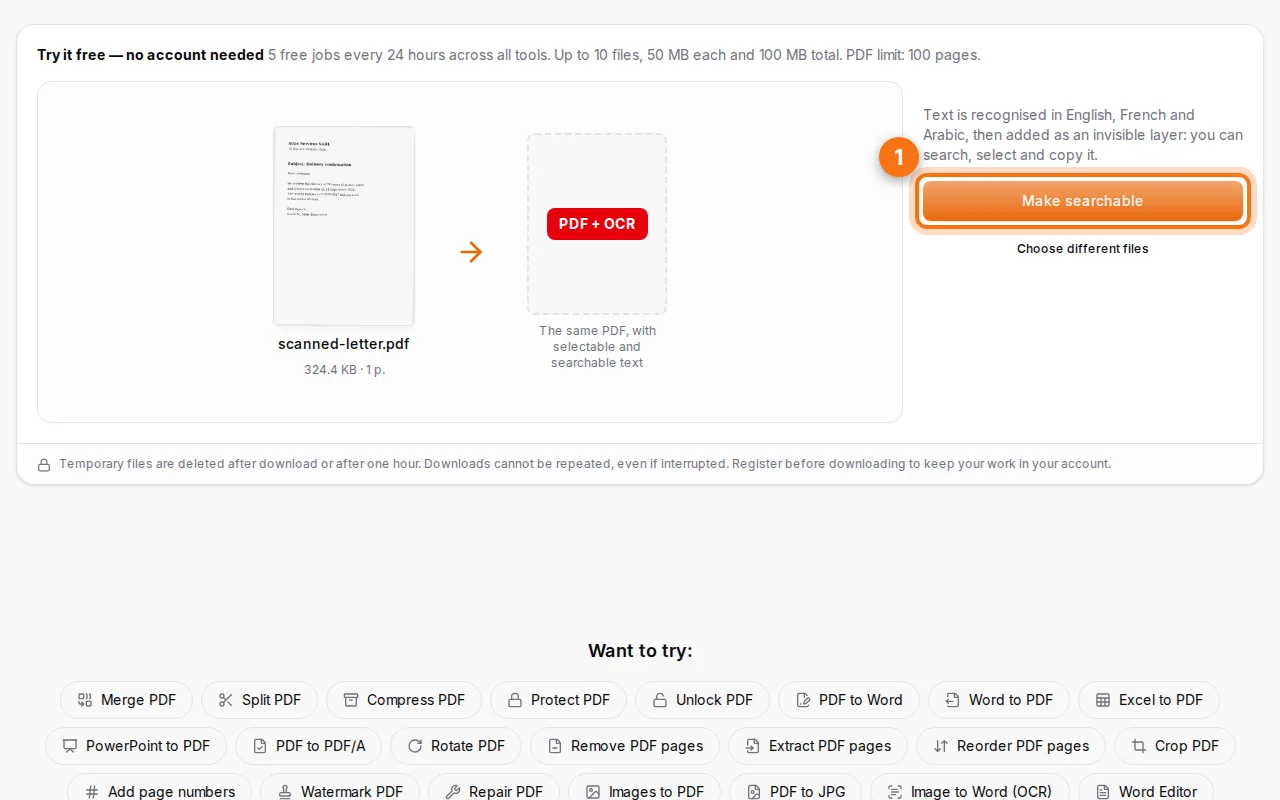
- Make it searchable. Click Make searchable. Each page is straightened if needed, then read. A multi-page document takes a little longer.
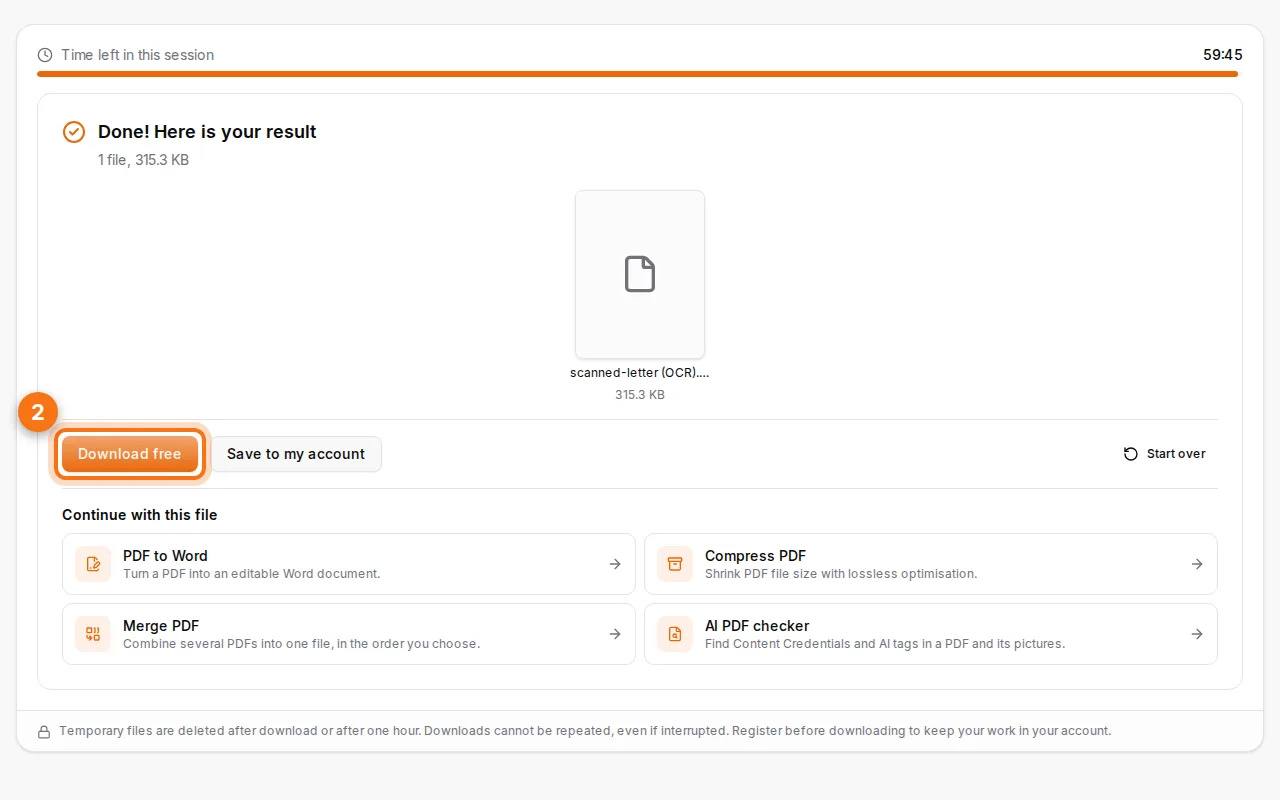
- Download the searchable PDF. Open it in any PDF reader and try Ctrl+F: the words are found on the page.
How do I know if a PDF needs OCR?
Open it and try to select a word. If the whole page gets selected like a picture, or nothing is selected, the PDF is a scan and needs OCR. If you can select words, it already has text: you can convert it to Word directly.
Tips for better recognition
- Scan at 300 dpi. Lower resolutions make small letters hard to read; higher ones make files large without improving much.
- Keep pages straight and flat. A slight tilt is corrected, but curved pages near a book's spine lose words.
- Good contrast: black text on white paper works best. Avoid shadows when you photograph a page.
- One language per page works best, but mixed French and Arabic documents are common, and both are recognised.
- Handwriting is not recognised reliably: OCR is made for printed text.
Searchable PDF or Word document?
| You want to… | Use |
|---|---|
| Keep the document as it looks, but search and copy text | OCR PDF |
| Edit the text and re-layout the document | OCR PDF, then PDF to Word |
| Get text out of a photo (JPG, PNG) | Image to Word (OCR) |
Why make scans searchable?
- Find anything in hundreds of archived invoices, contracts or letters.
- Copy a reference (an invoice number, an IBAN, a name) instead of retyping it.
- Accessibility: screen readers can read searchable PDFs aloud.
- Smaller workflows: search engines and document systems index the text.
After OCR, you can compress the PDF if it's heavy, or merge several scans into one file.
FAQ
Which languages does OCR support?
English, French and Arabic, including documents that mix them.
Does OCR change how my PDF looks?
No. The text layer is invisible: the pages look the same as the scan.
Is it free?
Yes, within the daily free jobs for guests, and more with a free account.
Are my documents kept?
No. Files are processed and deleted after an hour, unless you save them in your account.